
HOW TO CLEAR YOUR SAFARI CACHE WITHOUT NUKING YOUR LOGINS
Last week my LinkedIn was glitching in Safari. Cleared the cache. Fixed in seconds. Two ways to do it, one keeps you signed in.
Last week my LinkedIn was glitching in Safari. Buttons not clicking, the feed half-loading, everything just off. I cleared my cache and it was completely gone. Fixed in seconds.
If a site's acting broken or Safari feels slow, this is almost always the fix. Here are the only two ways you need.
Keep your logins (do this one)
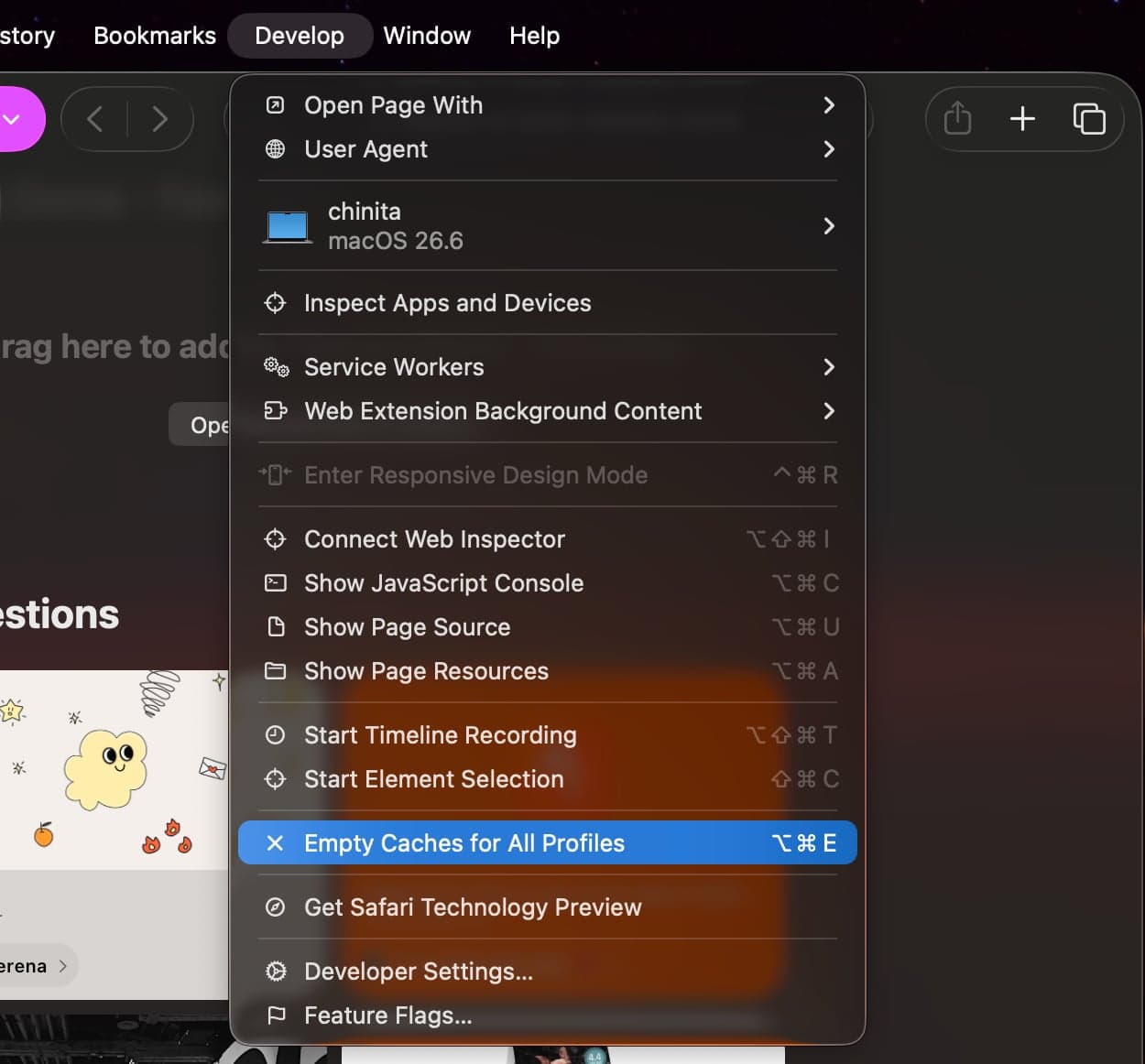
Safari → Settings (⌘ ,) → Advanced. Check "Show features for web developers." Menu bar → Develop → Empty Caches (⌥ ⌘ E).
Fresh pages. Still signed in everywhere.
Wipe everything (fresh start)
History → Clear History → pick a range → Clear History.
Clears cache, history, and cookies. Logs you out of sites.
Rule of thumb: broken or slow site → Empty Caches. Real fresh start → Clear History. That's it.