YOUR SLOW MAC IS NOT A HARDWARE PROBLEM
Before you panic update your OS or Google 'MacBook Pro slow 2026', open Activity Monitor. It takes 10 seconds.
We spend thousands on our machines. We upgrade software, manage files, obsess over our tools and then the moment things slow down, most of us either panic update the OS or start Googling "MacBook Pro slow 2026." Or the bin.
I did the same thing this morning like I do most of the time and we don't even do much.
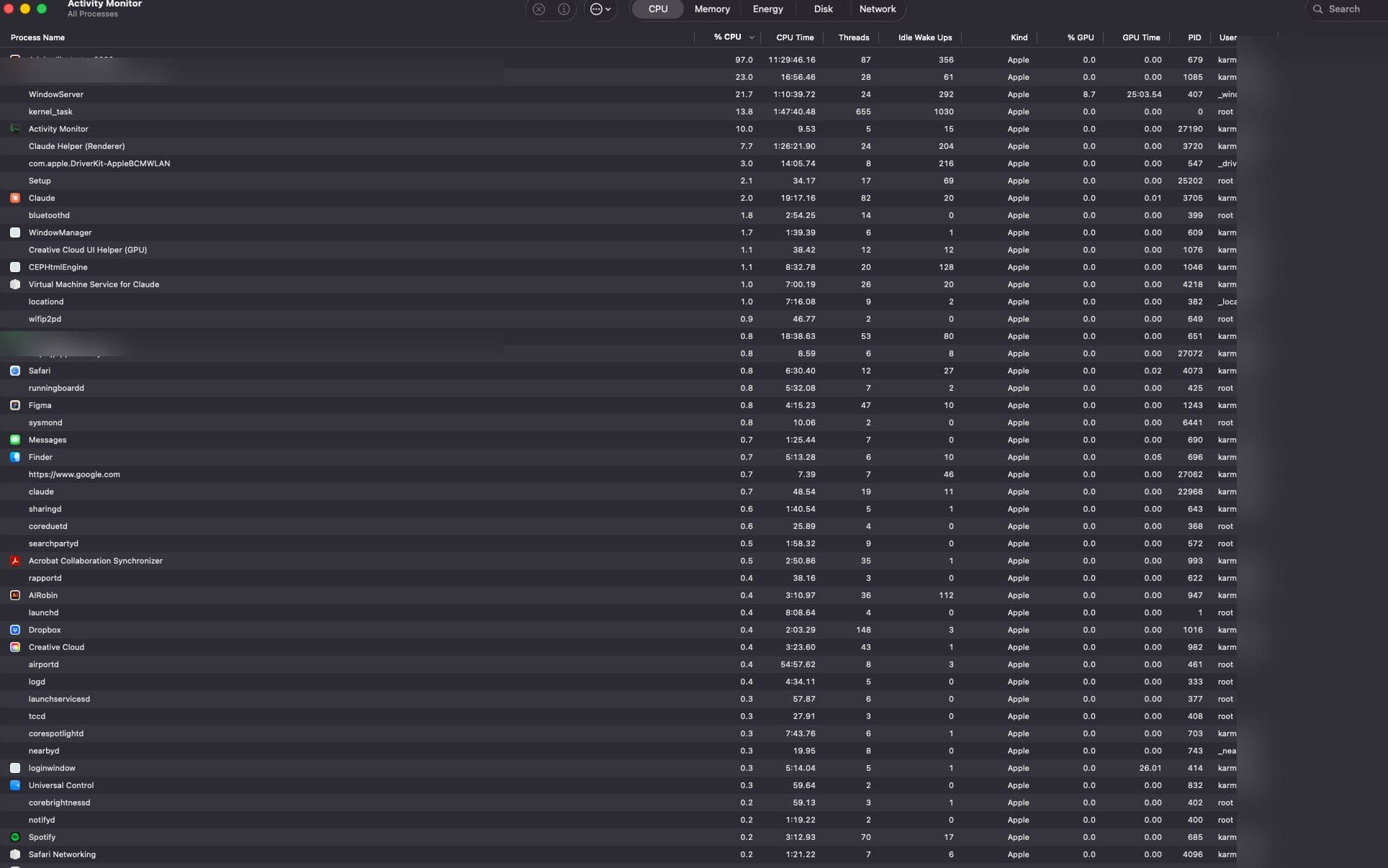
Before I touched anything, I opened Activity Monitor, a built-in macOS tool most creatives never look at. Just press Cmd + Space and then type Activity Monitor, open it, see on the top CPU tab, sort by highest %, try to quit what you're not using. Memory tab and check the bar at the bottom (green = fine, yellow/red = problem). Restart.
It shows you exactly what's happening inside your machine in real time: every process, every app, how much CPU and memory each one is consuming.
What I found in under 60 seconds:
Illustrator was running at 97% CPU in the background. I wasn't even actively using it, it was just open without any projects. A single LinkedIn browser tab was eating 1 GB of RAM. Claude was using 2.17 GB. The irony of your AI tool being part of the problem is not lost on me. My Mac had exhausted its memory and was using storage as backup called Swap, which tanks performance fast.
I quit Illustrator. Closed the tab. Restarted. CPU dropped to 92% idle. Memory pressure went green. Done. Again.
No update. No repair. Three minutes.
Save this. Do it next time your machine slows down:
Cmd + Space, type Activity Monitor, open it. CPU tab, sort by highest %, quit what you're not using. Memory tab, check the bar at the bottom (green = fine, yellow/red = problem). Restart.
We run heavy software. Figma, Illustrator, Chrome with 30 tabs, Creative Cloud, Slack, all of it simultaneously. Our machines are working harder than most. The least we can do is check in on them occasionally.
Activity Monitor takes 10 seconds to open. Make it part of your workflow. I hope this helps you. Cheers.